Taskbar Hero rune tree
Use the zoomable rune tree and text rune map when you need first picks, rune options, or a TBH rune planner before spending deeper into the tree.
Open rune treeTBH: Task Bar Hero guides
Start with the answers players are already searching for: the Taskbar Hero rune tree, farming calculator, farm planner, best builds, Ranger build, Priest build, pet routes, Taskbar Hero wiki hub, and the beginner route that keeps early idle runs stable.
Fastest answers
These links match the highest-opportunity GSC clusters in the current sprint: rune tree queries are already winning, farming planner queries have impressions but weak CTR, and build queries are splitting into Ranger, Priest, and best-build intent.
Use the zoomable rune tree and text rune map when you need first picks, rune options, or a TBH rune planner before spending deeper into the tree.
Open rune treeEnter your clear time, compare EXP/min and Gold/min, then switch the farm planner between stage boxes, monster kills, Soulstone routes, and material farming.
Open farming calculatorStart with Knight + Ranger, add Priest when deaths interrupt farming, and compare Ranger build, Priest build, Sorcerer AoE, Hunter farm, and Slayer test paths.
Open build plannerStart here
Taskbar Hero is an idle RPG where progress depends on keeping runs stable while your heroes gather loot in the background. That makes the first few choices more important than they look: a fragile damage-only setup can clear early fights quickly, then stall as soon as deaths interrupt farming or your inventory fills with materials you do not understand yet.
The safest opening plan is simple. Keep a durable hero in front, add sustain before chasing a pure damage build, compare upgrades by whether they reduce failed idle runs, and treat runes as long-term direction rather than a place to spend points blindly. Once your party survives repeatable stages, switch attention from survival to clear speed, drop consistency, and farming routes.
For most new accounts, that means using Knight as the low-risk starter anchor, adding Priest support as soon as the account can use the free DLC hero, and then choosing Ranger or another back-line damage option once the front line survives. Sorcerer can work as a damage starter, but it asks more from your gear and party protection, so it is less forgiving than a Knight-first route.
Search answers
The answers below are written to stand on their own. The linked guides go deeper, but the homepage should still answer the searcher who wants a starter class, rune build, farming route, or launch fix without opening five tabs.
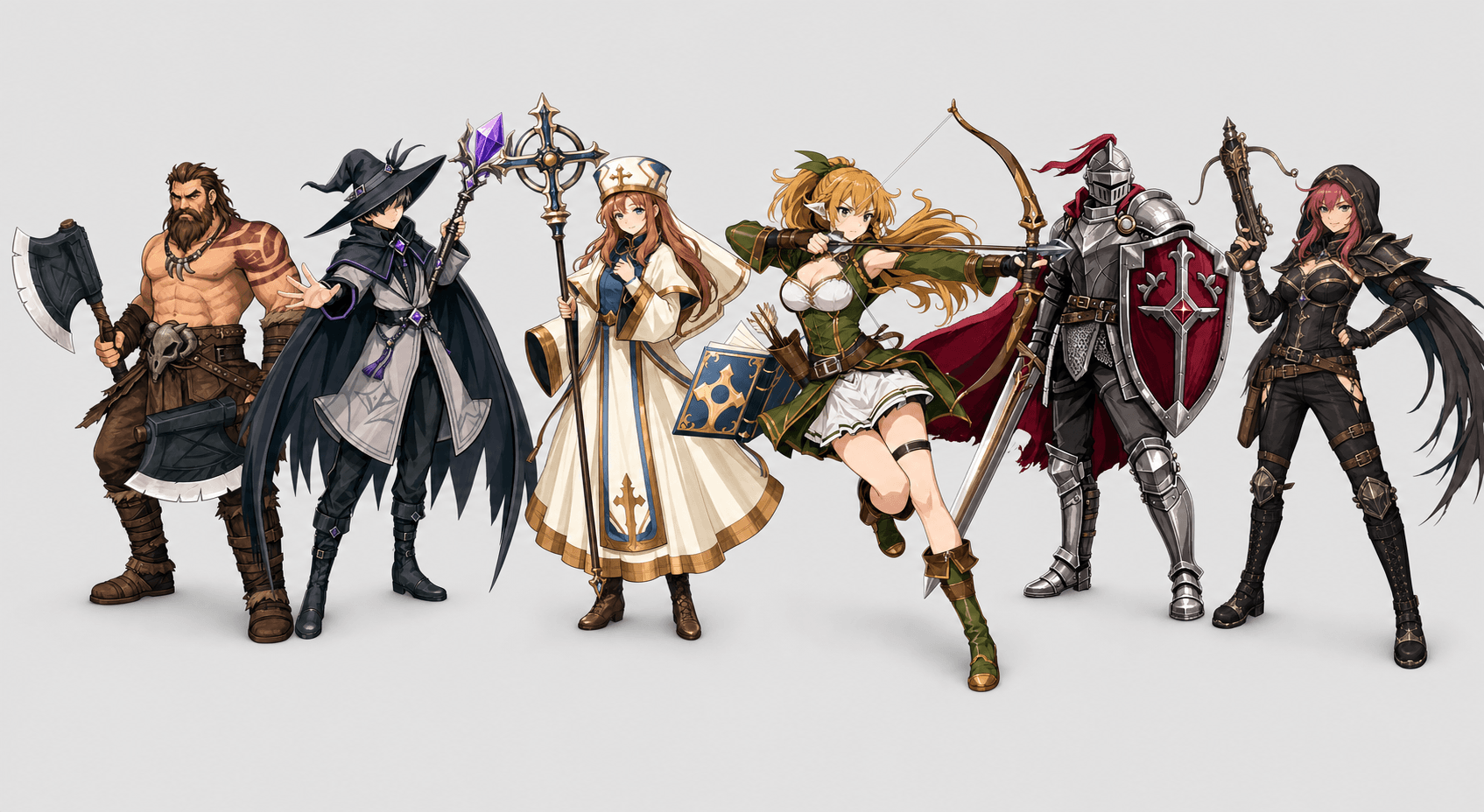
The strongest early build is not one fixed class list. It is a role framework: a front-line hero that prevents failed idle runs, a damage hero that improves clear speed, and sustain when deaths waste more time than slow clears. The local hero data supports Knight as the safest anchor because it has 130 HP and 45 armor, far above the fragile ranged and caster starters.
For free starter paths, Knight + Ranger is the cleanest low-risk core. Ranger has the highest listed attack speed among the starter choices and brings ranged skills like Rapid Fire, Scatter Shot, and Arrow Rain. Knight + Sorcerer is the AoE route, but Sorcerer has only 50 HP and 5 armor, so it should be protected before you judge its damage.
If DLC-linked heroes are available, Priest changes the build question. Heal, Sanctuary, and Resurrection make Priest the most important sustain upgrade for unstable pushes. Hunter and Slayer are better treated as later damage tests, not automatic first picks.
| Build | Core | Use case |
|---|---|---|
| Safe free start | Knight + Ranger | Stable early idle clears. |
| AoE free start | Knight + Sorcerer | Wave clear if Sorcerer survives. |
| Sustain upgrade | Knight + Priest + Ranger | Push and farm when deaths are the wall. |
| Aggressive farm | Knight + Hunter + Priest | Damage/control after survival is solved. |
For a fresh Taskbar Hero account, Knight is the safest starter class because early idle progress fails when the front line collapses. A Knight-first route gives weaker gear, uneven drops, and background runs more room to recover. That does not mean Knight is the permanent best class; it means Knight answers the first problem better than a fragile damage pick.
Priest becomes the most important early support piece once available because sustain turns close losses into repeatable clears. Ranger is the clean early damage partner because it contributes from the back line and fits both safe idle parties and early farming parties. Sorcerer can be a stronger damage path later, but if your party cannot protect it, the run will fail before the damage matters.
A practical first party is Knight + Priest + Ranger. If you want a more aggressive path, Knight + Hunter + Priest can work after the account has enough survivability. Treat Slayer as a later damage or scaling test rather than a first answer for every player.
| Class | Starter use | When to choose it |
|---|---|---|
| Knight | Front-line anchor | Best default starter for stable idle runs. |
| Ranger | Reliable ranged damage | Add after survival is stable or when farming feels slow. |
| Sorcerer | Higher-risk damage | Use when gear and party protection can keep it alive. |
| Priest | Sustain support | Prioritize as soon as the account can use the support slot. |
| Hunter | Damage option | Test in aggressive farm parties after deaths are under control. |
| Slayer | Later scaling test | Compare after you know your rune and gear direction. |
A good Taskbar Hero rune build starts with the problem in front of you. If your party is dying, choose the path that improves combat stability before economy. If your party is safe but slow, move toward damage and clear speed. If your party is already clearing repeatable content, then farming and utility runes become easier to evaluate.
For launch-week routing, think of Rune of War and Rune of Growth as early power lanes, Rune of Command as the party-slot and composition lane, and Rune of Awakening as a later scaling lane once you understand your class direction. Rune of Wealth and Rune of Expansion are economy choices; they are better when runs are stable enough to make repeated farming valuable. Rune of Repose is a rest/idle-value lane and should not outrank survival if your runs are still failing.
The Far North branch is useful to track because players discuss it for automation-adjacent utility such as chest handling. Do not spend into that kind of branch just because it sounds efficient; first confirm that Auto-retry, survivability, and inventory flow are already working for your current stage.
| Rune | Use case | Priority note |
|---|---|---|
| Rune of War | Combat power | Good early if damage or clear speed blocks progress. |
| Rune of Growth | Account scaling | Good early when gains apply across many runs. |
| Rune of Command | Party structure | Important when extra slots or composition options matter. |
| Rune of Awakening | Later power scaling | Better after you know the class path you are supporting. |
| Rune of Wealth | Gold and farm value | Take after you can farm repeatable stages safely. |
| Rune of Expansion | Longer-term account utility | Useful, but not before basic survival is solved. |
| Rune of Repose | Idle/rest value | Consider when offline or low-attention play is the goal. |
The first farming rule is to stop pushing when the next fight breaks idle consistency. Taskbar Hero has 3 Acts and 4 difficulty tiers, so the best early route is not “always push.” It is “push until failures begin, farm the highest stable Act 1 or current-act stage, upgrade the party, then test the next wall again.”
Use repeatable runs as your measuring stick. A stage with fewer deaths and steady gold, EXP, item drops, Soul Stone progress, and Cube Alchemy materials is usually better than a harder stage that your party barely clears. When you are testing, record run length, deaths, gold, notable drops, and whether the inventory stayed manageable.
Several launch guides mention practical early gates such as unlocking more hero slots, keeping enough gold for upgrades, and watching the 150,000 gold threshold that appears in beginner progression advice. Treat that number as a checkpoint, not a magic route: if you are dying, survivability still comes before rushing the next unlock.
| Route step | What to do | Move on when |
|---|---|---|
| Act 1 start | Equip upgrades, keep Knight alive, avoid selling unknown materials. | Runs clear without repeated deaths. |
| First farm loop | Repeat the highest safe stage for EXP, gold, drops, and Soul Stone progress. | Clear time stops improving after upgrades. |
| Rune check | Add combat or growth runes before economy runes if failures continue. | Auto-retry produces stable repeat runs. |
| Push test | Try the next stage or difficulty only after the farm loop is boringly stable. | The next wall appears or drops improve. |
The current pet data points to Dragon as the best all-purpose pet if Supporter Pack pets are allowed because it combines common chest chance, gold per kill, and EXP gain on one pet. That is a strong listed bonus spread, but it should still be separated from free pet routing so the advice stays useful for players who do not own the pack.
For free pets, choose by the resource you are trying to improve. Bat is the natural early EXP target because it also adds common chest value. Watcher is the dedicated gold pet. Blue Golem is the stronger listed common chest pet, while Dark Spirit is the stronger listed boss chest pet. Burning Skeleton is the earlier boss-chest step, but its source data has a Fire Spirit versus Fire Elemental naming conflict that needs verification.
Farming pets is a 5,000 kill problem, so the best route is not only the route with the highest listed monster count. A2-5 Scorching Dunes TORMENT may be the strongest Giant Fly route on paper, but a slower account may get better real progress from a safer backup.
| Pet | Best use | Unlock note |
|---|---|---|
| Dragon | All-purpose Supporter Pack pet | Common chest, gold, and EXP bonuses. |
| Bat | Free EXP and common chest value | Defeat 5,000 Bat. |
| Watcher | Free gold farming | Defeat 5,000 Giant Fly. |
| Blue Golem | Free common chest farming | Defeat 5,000 Hell Golem. |
| Dark Spirit | Free boss chest farming | Defeat 5,000 Ghost. |
Start with reversible Steam and Windows checks: verify files, restart Steam, test overlays, and update GPU drivers only after the simple steps fail. Avoid account-risky workarounds.
Because Taskbar Hero connects with Steam inventory and market-adjacent systems, do not use scripts, trainers, mod menus, or account manipulation as “fixes.” A black screen, crash, or inventory loading error should be treated as a client/runtime issue first.
The safe order is: restart Steam, verify game files, temporarily disable overlays, launch once with fewer background apps, update the GPU driver if the simple checks fail, then review Steam Community reports for a matching symptom. Stop if a proposed fix asks for credentials, bypasses Steam, or changes account state.
Use the checklistLaunch-week freshness
Last reviewed June 10, 2026. This homepage now treats Taskbar Hero as a live sprint hub instead of a directory. The current update pushes the rune tree, farming calculator, farm planner, best build, Ranger build, and Priest build answers higher because those clusters have the clearest search signals in the latest GSC export.
The page is still conservative where exact data is not ready. Stage names, drop rates, and final best-in-slot routes need original screenshots or repeatable run logs before they should become hard claims. Until then, the homepage gives decision frameworks and clearly named examples, then sends players to the deeper guides when they need tables and update policy.
Core guides
These pages are written for players who want a direct answer first and the reasoning underneath it. Each guide separates source-backed facts from launch-week assumptions so the advice can be updated when patches, screenshots, or better testing data appear.
A compact launch-week route for TBH: Task Bar Hero players who need early party, loot, cube, and progression priorities without a full wiki.
task bar hero guide Role rankingA role-first TBH: Task Bar Hero tier list for choosing early classes, pets, and party setups without copying a single launch-week ranking.
taskbar hero tier list Rune tree mapUse this Taskbar Hero rune tree guide for the interactive rune map, zoomable tree, first rune picks, rune options, and TBH rune planner.
task bar hero rune Screen fixFix Task Bar Hero black screen, stuck launch screen, crashing, and display problems with a cautious Windows and Steam troubleshooting checklist.
task bar hero black screen Farming plannerUse this Taskbar Hero farming planner and calculator to rank stages by EXP/min, Gold/min, stage boxes, pet kills, Soulstone routes, and safe farming goals.
taskbar hero farming calculator Drop finderA Taskbar Hero drop finder for item locations, chest drop rate checks, stage loot tables, Minor Ruby sources, Long Staff drops, and boss box routes.
taskbar hero drop finder Monster databaseSearch the Taskbar Hero monster list by HP, attack, reward, element, spawn stage, and best farming route using a local source-backed monster database.
taskbar hero monsters Pet routesA source-backed Task Bar Hero pets guide covering pet bonuses, unlock requirements, Supporter Pack pets, and the best early farming stages for free pets.
task bar hero pets Best buildsCompare Taskbar Hero best builds, tier list roles, Ranger build, Priest build, Knight formation, Sorcerer AoE, Hunter farm tests, skills, and stats.
task bar hero buildHow to use this site
If you just installed TBH: Task Bar Hero, start with the beginner guide and ignore advanced optimization until your party can clear repeatable stages without constant failures. If your party already survives, use the tier list to check role coverage, then move to rune priorities and farming route logic.
Troubleshooting pages are intentionally conservative. A black-screen or crash fix should never require account manipulation, cheat tools, or unclear scripts. The checklist starts with reversible steps because protecting your Steam account matters more than trying every launch-week rumor.